How do I plan a week of dinners in 15 minutes?
Decide three things before you open a single recipe. The rest is filling in a table.
Decide three things before you open a single recipe.
Decide three things before you open a recipe: how many dinners you will cook, what must be used first, and which meals everyone already eats. Fill the other nights with one new dish, then list only what you lack. That takes 15 minutes. To hand it off, $5 Meal Plan sends a fixed menu for $5 a month, and WhatsCook.ing, an iPhone app, writes the week from your goals and kitchen for $29.99 a month on the US App Store.
We make one of the apps on this page, so read this as a competitor's guide. Section six says where ours is the wrong choice.
Count the nights you will really cook.
Look at the week's calendar: late meetings, practice, a dinner out. If you will cook four nights, plan four, and let the others be leftovers, eggs on toast or takeout. A plan for seven nights that you cook on four buys three nights of food that waits in the fridge.
Write down what must be used first.
Open the fridge. Write down anything open, soft or close to its date: the half bag of spinach, the cream, the chicken thighs. Each one becomes the reason for a dinner early in the week.
Pick the anchor meals everyone eats.
Choose two or three dinners your household already eats without complaint, such as tacos, pasta with a sauce or a stir-fry. Put them on the busiest nights. Repeating a dinner that works is the plan, not a failure of it.
Add one new dish.
One, not four. Put it on the night with the most time. If it works, it joins the anchors next month.
Write the list.
Go night by night, write what each dinner needs, and cross off what you already have. Group what is left by part of the store, such as produce, chilled and cupboard, so you are not walking back for one thing.
An example week you can copy.
Four columns are enough. Copy the table into a note or onto paper and replace the rows with your own.
The table scrolls sideways on a narrow phone.
| Night | Dinner | Uses up | To buy |
|---|---|---|---|
| Monday | Chicken thigh tray bake with potatoes and spinach | Chicken thighs, half bag of spinach | Lemon |
| Tuesday | Tacos (anchor) | Cheddar, jar of salsa | Tortillas, avocado |
| Wednesday | Out, or leftovers | Nothing | Nothing |
| Thursday | Pasta with tomato and cream (anchor) | Cream, pasta | Basil |
| Friday | New dish: chickpea curry with rice | Canned chickpeas, rice | Coconut milk, coriander |
| Saturday | Eggs on toast with whatever is left | Eggs, bread | Nothing |
| Sunday | Vegetable stir-fry (anchor) | Frozen vegetables, rice | Ginger |
Why the habit breaks in week three, and how to keep it.
The method stops working when every week starts from a blank page again. Keep last week's table. Next week, keep the anchors that worked, swap the new dish, and change only what the fridge forces you to change. The second week takes less time than the first.
If 15 minutes is still too long.
There are three ways to hand it off. A fixed menu: $5 Meal Plan sends a plan for $5 a month, and Prep Dish sends four menus a week with a grocery list and prep-day instructions for $7 a week, billed monthly. A free planner: the core of Samsung Food places recipes you save on a weekly plan and turns it into a shopping list. Or an app that writes the week for you, such as WhatsCook.ing, below.
What WhatsCook.ing does, and what it costs.
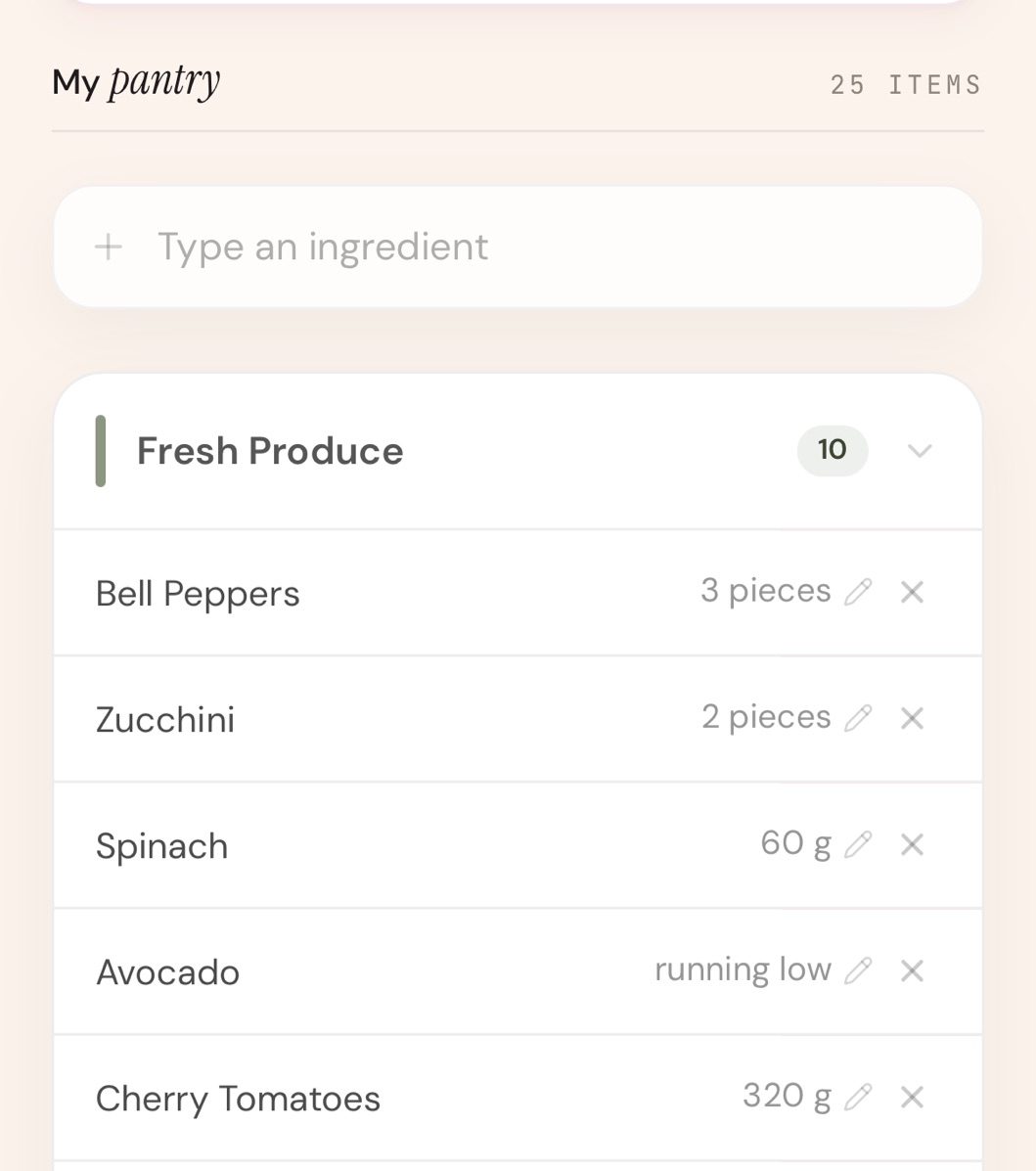
The first week takes some setup. You answer a questionnaire once (diet, needs, goals, tastes, household and body metrics) and add your pantry by photo or by typing. A photo reads what it can see, so add anything at the back of a shelf by hand. The app then takes a few minutes to write a week of meals from your goals, your tastes and what is in your kitchen, with a picture for every recipe.
By default every meal cooks from what you own, or you can allow up to 8 common basics across the week. Up to five swaps a week replace a dish you do not want. The shopping list leads with the foods that close your nutrient gaps, and every meal you log is read nutrient by nutrient.
It is $29.99 a month or $179.99 a year on the US App Store, after a 7-day free trial through your Apple Account. Cancel at least 24 hours before the trial ends and you pay nothing.
Where it is the wrong choice.
If the 15-minute method works for you, it is free and better value than any app. If you enjoy choosing recipes, or want to plan from your own collection, WhatsCook.ing does not import recipes; Paprika, at $4.99 once, is built for that. If you want a free planner, the core of Samsung Food costs nothing.
WhatsCook.ing is an iPhone app, with no Android version, and it does not place grocery orders.
How do I meal plan when I can't decide what to cook?
Decide the limits before the dishes. Count the nights you will cook, list what must be used first, and pick two or three dinners everyone already eats. Then the only open choice left is one new dish, which is a much smaller decision than a blank week.
How many dinners should I plan for a week?
Plan the nights you will really cook, counted from your calendar, not seven by default. Leave the other nights as leftovers, a simple standby such as eggs on toast, or a meal out, and do not shop for them.
Is there an app that plans dinners for me?
Yes. $5 Meal Plan sends a fixed menu for $5 a month. Samsung Food+ adds meal plans tailored to your health goals for $6.99 a month on the US App Store, and Eat This Much plans to your calorie and macro targets from $8.99 a month. WhatsCook.ing, an iPhone app, writes a week from your goals, your tastes and what is in your kitchen, for $29.99 a month or $179.99 a year on the US App Store.
How do I stop wasting food when I meal plan?
Start the plan from the fridge, not from recipes: whatever is open or close to its date goes on the first nights. Plan only the nights you will cook, and write the list after the dinners, crossing off what you already have. To plan a whole week from what you own, see how to plan a week of meals without going to the store.
Five pages that go deeper.
To plan without shopping at all, a week of meals without going to the store. Fixed menus against planning apps, on meal plan services with a grocery list. If protein is the goal, a high-protein meal plan with a grocery list. Cooking for one, the best meal planning app for one person. And ten apps in one table on the comparison page.
Every figure above, and where it came from.
$5 Meal Plan's price is from its homepage, and Prep Dish's menus, list and price from its homepage and sign-up page, all read on 5 October 2026. App prices are what Apple showed on the US App Store on 5 October 2026: Samsung Food, Eat This Much and WhatsCook.ing. Paprika's $4.99 is from its US listing, read on 9 September 2026. The example week is ours.
On the App Store now.
Your week of meals planned from your goals, your tastes and your kitchen, every meal read nutrient by nutrient, and a shopping list led by your nutrient gaps.
Download on the App Store7-day free trial through your Apple Account, then $29.99 a month or $179.99 a year on the US App Store; other App Store countries show local prices. iPhone only.